GreenLife score
Most of the carbon footprint of a phone or laptop comes from making it, not charging it. Phone makers’ own environmental reports put manufacturing at around three-quarters or more of a phone’s lifetime emissions. So every extra year you get out of a device spreads that cost thinner, and every year you don’t buy a new one leaves a few hundred dollars in your account.
The battery is usually the problem
Lithium-ion batteries wear out with use. Most phone batteries are designed to keep about 80 percent of their original capacity after 500 to 1,000 full charge cycles, which works out to two to four years of normal use. After that, the phone dies by mid-afternoon or shuts off in the cold, and many people buy a new one when the rest of it works fine.
Check battery health before you shop. iPhones show it under Settings, Battery; many Android phones show it in the battery or device care menu, and laptops report it through a system report or the maker’s utility. Below about 80 percent, a new battery will feel like a new device.
| Fix | Manufacturer or shop | DIY kit | Adds about |
|---|---|---|---|
| Phone battery Our pick | $50–$120 | $25–$60 | 2–3 years |
| Phone screen | $130–$380 | $50–$200 | Until the next failure |
| Laptop battery | $130–$250 | $50–$120 | 2–3 years |
| Laptop SSD or RAM upgrade | $80–$200 | $40–$120 | 2–4 years of usable speed |
| Tablet battery | $100–$200 | $40–$80 | 2–3 years |
Typical US prices in 2026 for popular models; older or less common devices can cost more or less.
Repair shop or do it yourself?
For phones, a repair shop is the safer bet unless you’ve done this before. Modern phones are glued shut, and a punctured lithium battery can catch fire. The maker’s own service or an authorized shop costs a bit more but uses genuine parts and keeps features like battery health readings working. Independent shops are often faster and cheaper; ask what parts they use and whether they warranty the job.
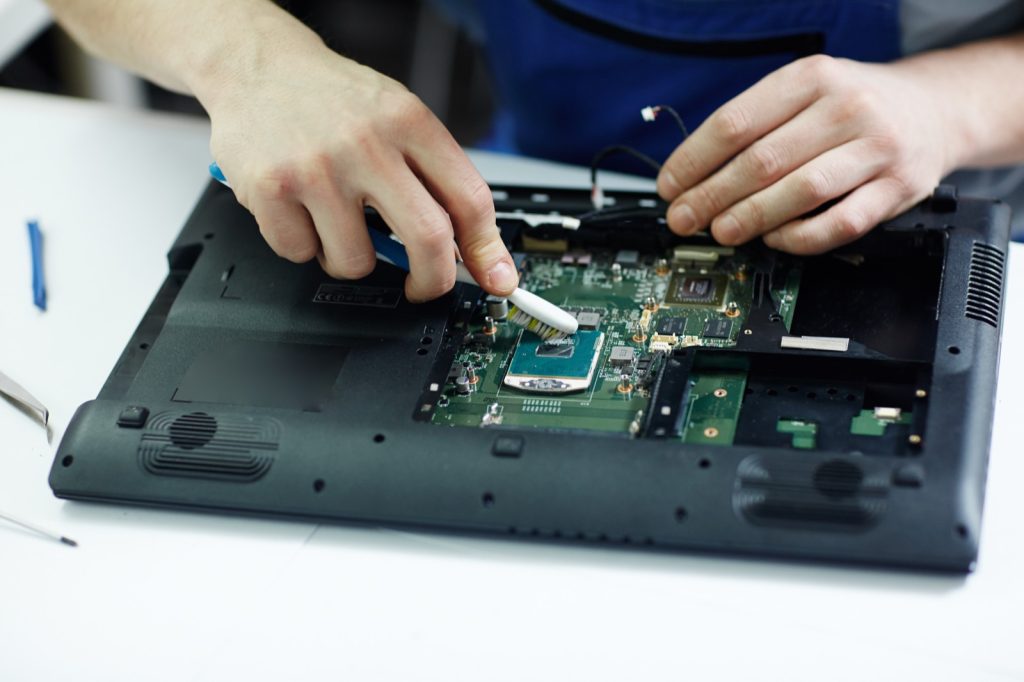
Laptops are different. Many Windows laptops still have a battery held in by screws, and swapping it, or adding memory or a bigger SSD, takes 20 minutes with a small screwdriver. Repair guides with step-by-step photos exist for thousands of devices, and several manufacturers now sell genuine parts and tools directly to owners.
-
Back up everything
Copy photos and files to a computer or cloud account before any repair, DIY or shop.
-
Find a guide for your exact model
Read it all the way through before ordering parts. If it says “difficult” and mentions heat guns, consider a shop.
-
Order the right part
Match the exact model number, not the marketing name. Buy from a seller that offers returns.
-
Discharge and disconnect
Run a phone battery below 25 percent first, and disconnect the battery before touching anything else.
-
Recycle the old battery
Tape the terminals and take it to a battery drop-off. Never put it in the trash or curbside bin.
What state right-to-repair laws give you
Several states have passed laws requiring electronics makers to sell parts, tools and repair manuals to owners and independent shops on fair terms. New York, Minnesota, California, Colorado and Oregon are among them. The details differ: which products are covered, whether the law applies only to devices sold after a certain date, and how many years parts must stay available. California’s law, for example, ties the parts period to the product’s price.
In practice this means you’re more likely to find genuine batteries and screens for sale, and independent shops can get the same documentation as authorized ones. Federal law also helps: under the Magnuson-Moss Warranty Act, a manufacturer generally can’t void your warranty only because you used an independent shop or third-party parts, unless it can show they caused the damage.
Small habits that slow battery wear
- Avoid heat. Don’t leave devices in a hot car or charge them under a pillow.
- Turn on optimized or limited charging, which holds the battery at 80 to 85 percent overnight.
- Use a case and screen protector. A $15 protector is cheaper than a $250 screen.
- For laptops that stay plugged in, use the maker’s battery-saver setting if it has one.
When replacing is the right call
Keep going until one of these is true. The device no longer gets security updates: recent flagship phones from Apple, Google and Samsung get five to seven years, but cheaper Android phones may get far less. The repair costs more than about half the price of a comparable replacement. Or the device can’t run what you need; many older PCs can’t install Windows 11, and Microsoft’s paid one-year extension of Windows 10 security updates for home users ran out in October 2026.
When you do replace, a refurbished model with a warranty usually costs 20 to 40 percent less than new. Sell, trade in or donate the old device if it works; recycle it if it doesn’t.
-
How much does it cost to replace a phone battery?
About $50 to $120 at the manufacturer or a repair shop for most popular models in 2026, or $25 to $60 for a DIY kit.
-
Will a third-party repair void my warranty?
Generally no. Federal warranty law bars makers from voiding a warranty because you used an independent shop, unless the repair caused the problem.
-
Is it worth fixing a 5-year-old laptop?
Often yes if it still gets security updates. A new battery or SSD for $80 to $250 is far cheaper than a new laptop. If it can’t run a supported operating system, replace it.